


Searchable PDF
Create digital documents that can be searched, archived, and shared more efficiently.
 Languages
English
Languages
English


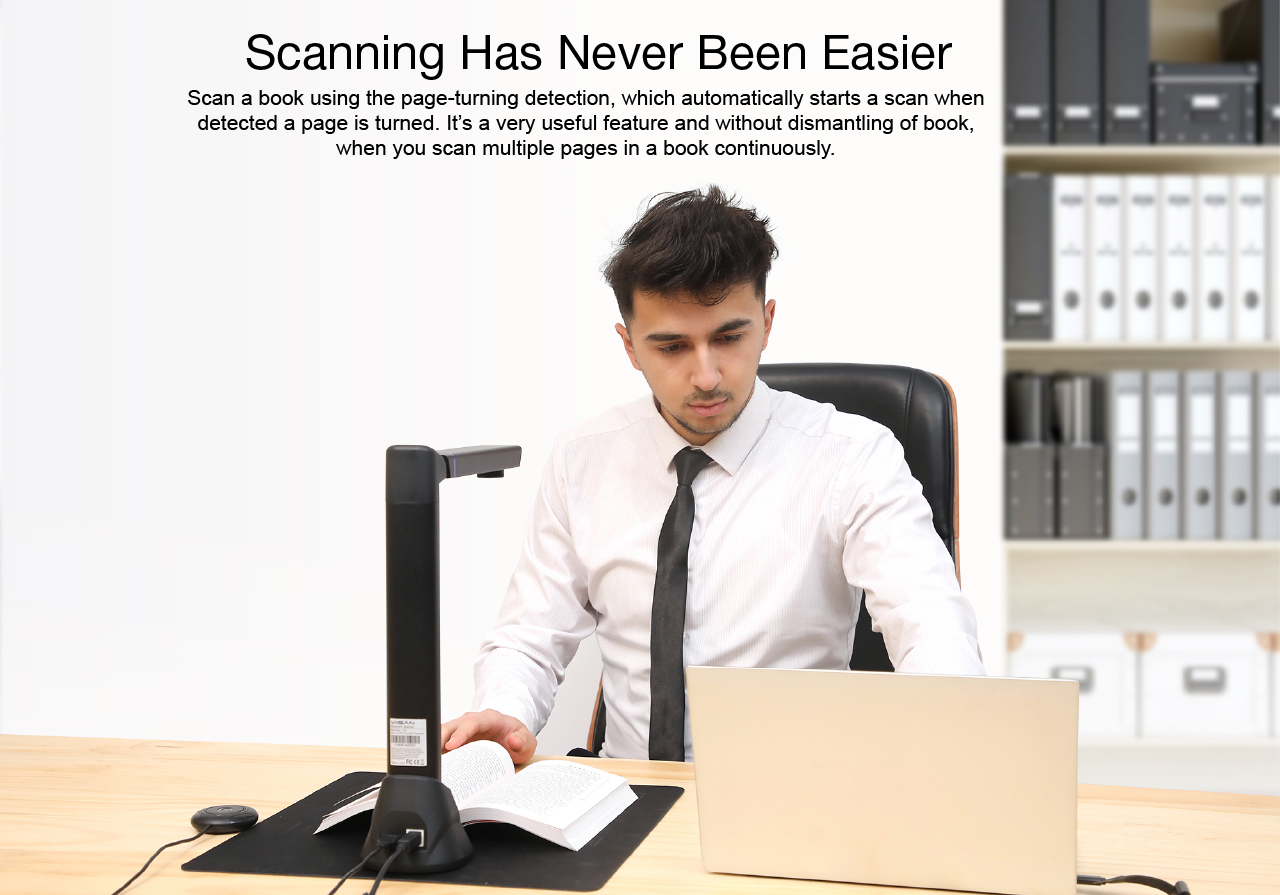
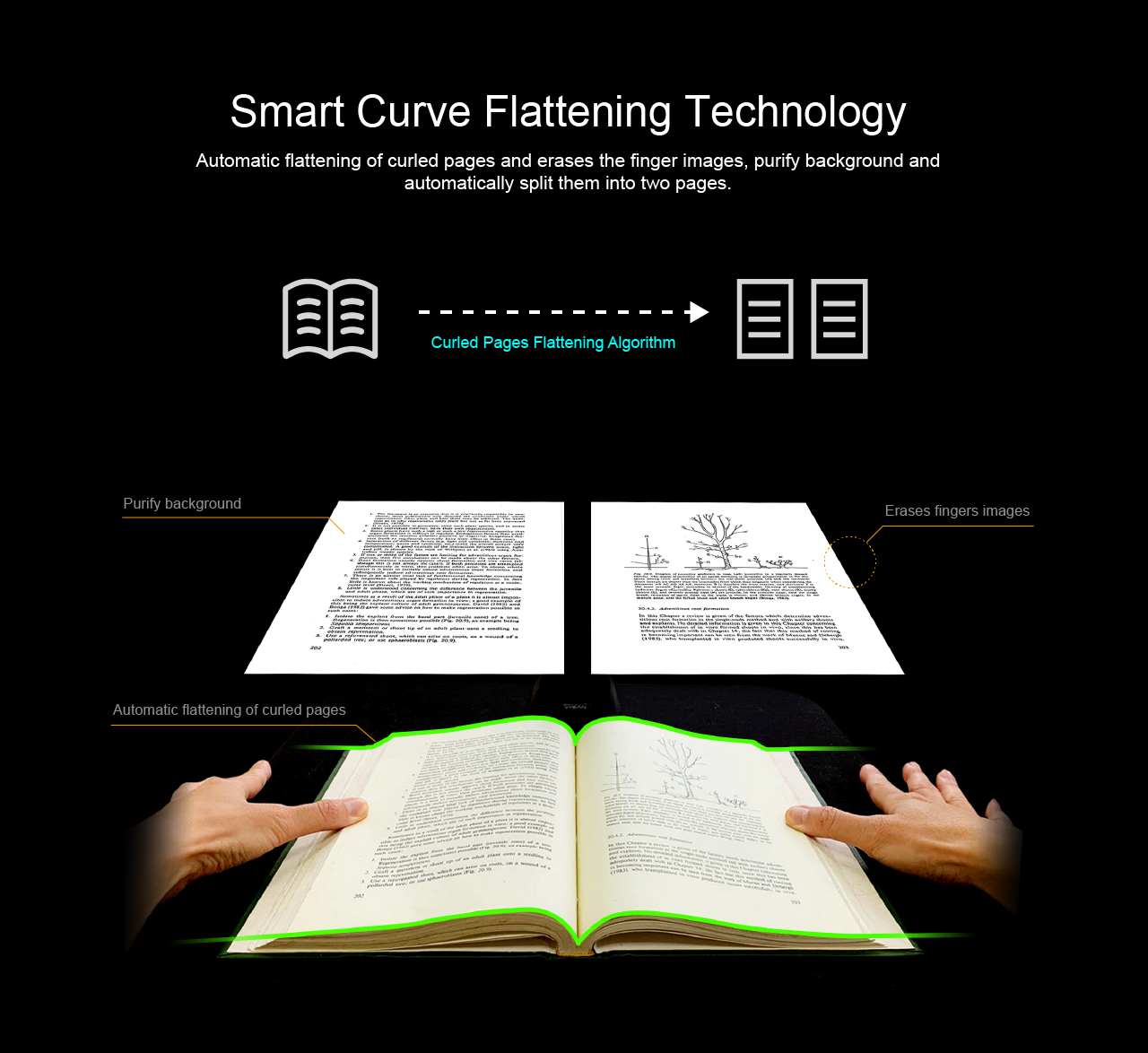
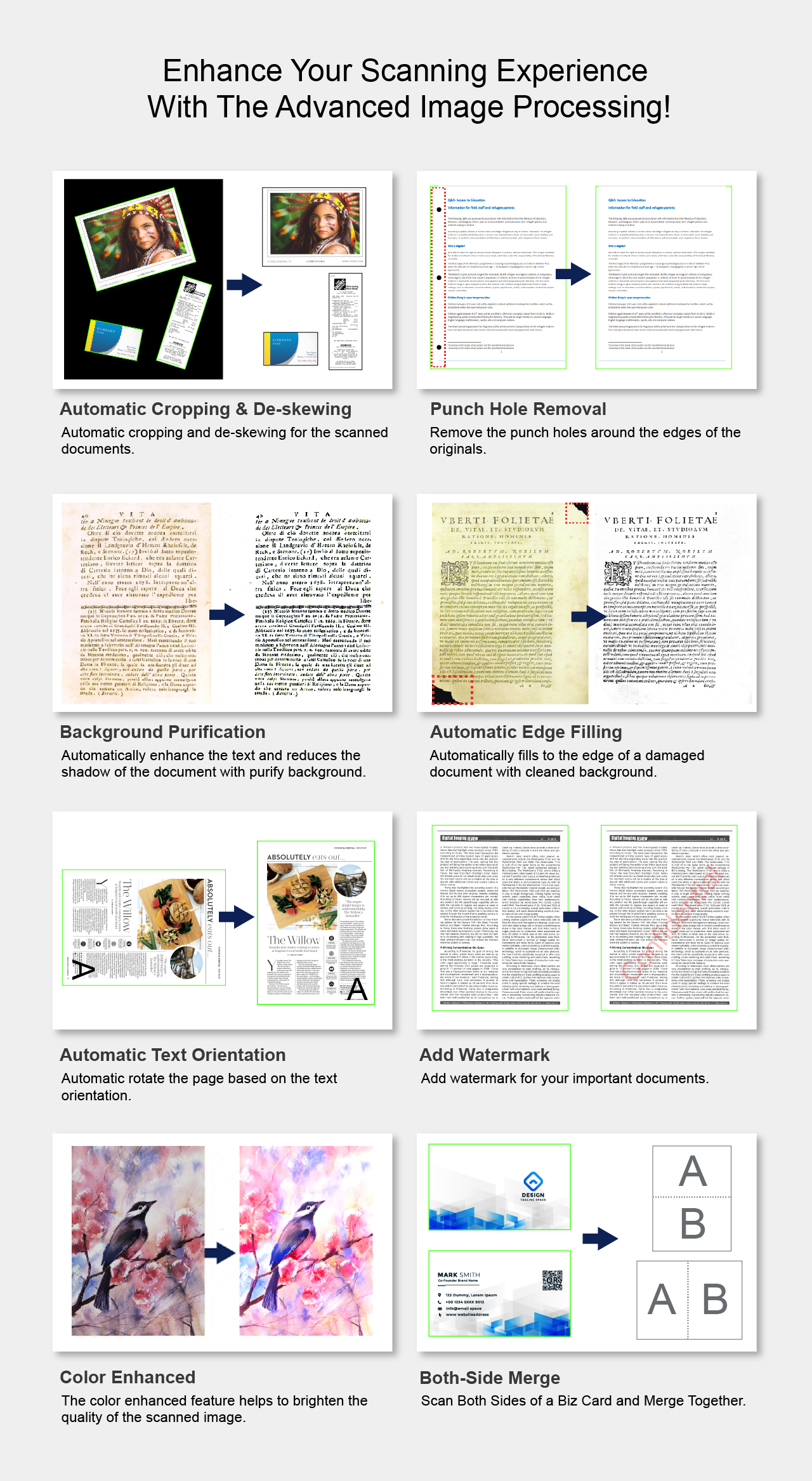
The OfficeCam is a powerful scanning software for camera-based scanners. This software allows you quickly to scan all types of documents from the name card to the A3 size book into JPEG or other image format files. It supports scan photos, documents, books, recognize the barcodes, and record video. All of your scanned images can be converted to PDF or editable Word/Excel/ePub/Txt files with the embedded OCR function. Along with these great features, you can use the OfficeCam scanning software with your camera device to get great results while scanning books. For example, it can automatically flatten curved pages, erases fingers from the scanned photos, repairs the damaged edges of documents, rotates pages based on text orientation, and automatically splits double-page into separate images.
MYSHER OfficeCam is a professional document scanning software designed for book scanning, document capture, OCR conversion, accessibility support, and intelligent image processing. It helps users capture physical documents and convert them into searchable, editable, and easier-to-read digital content.

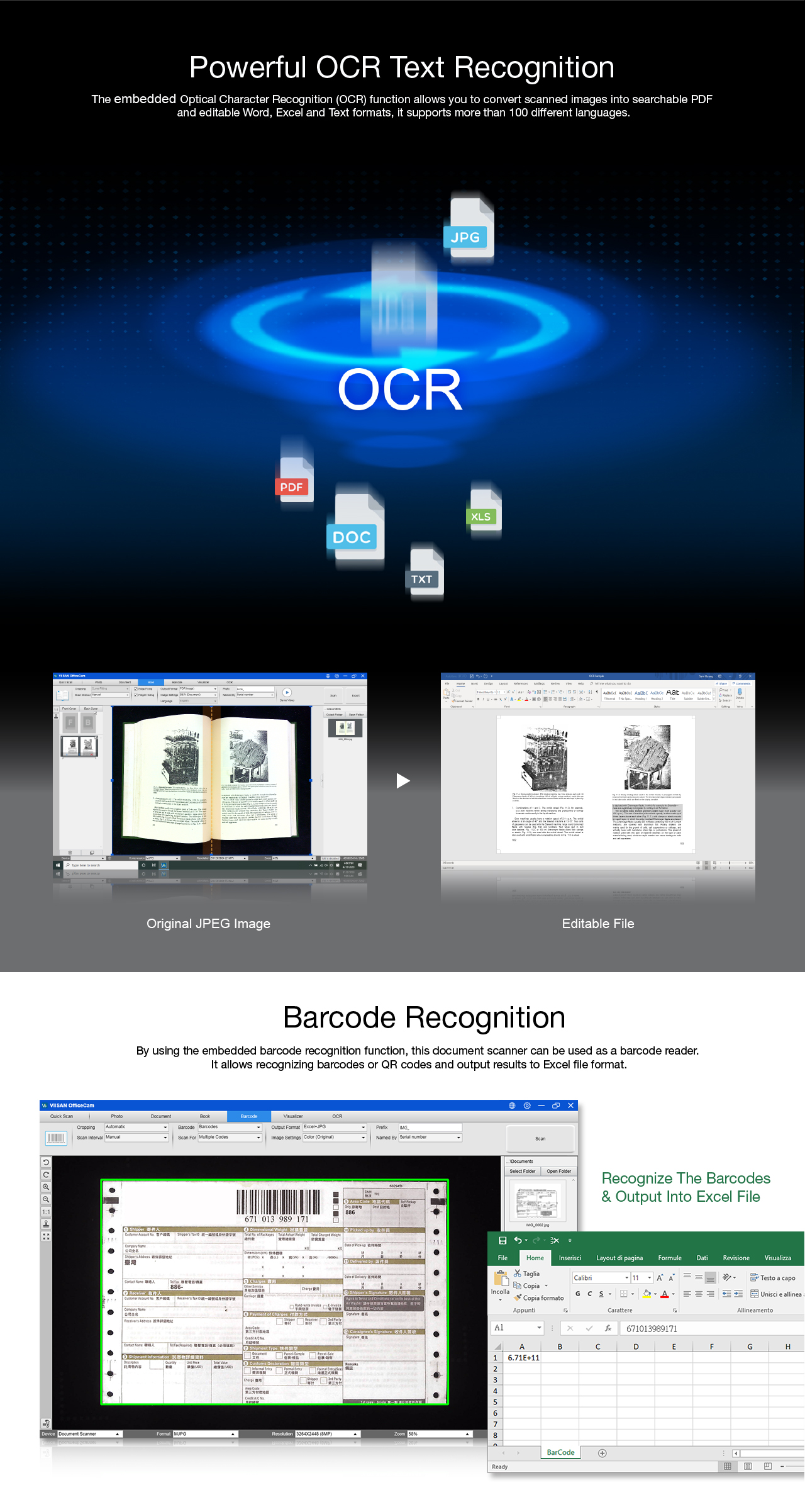
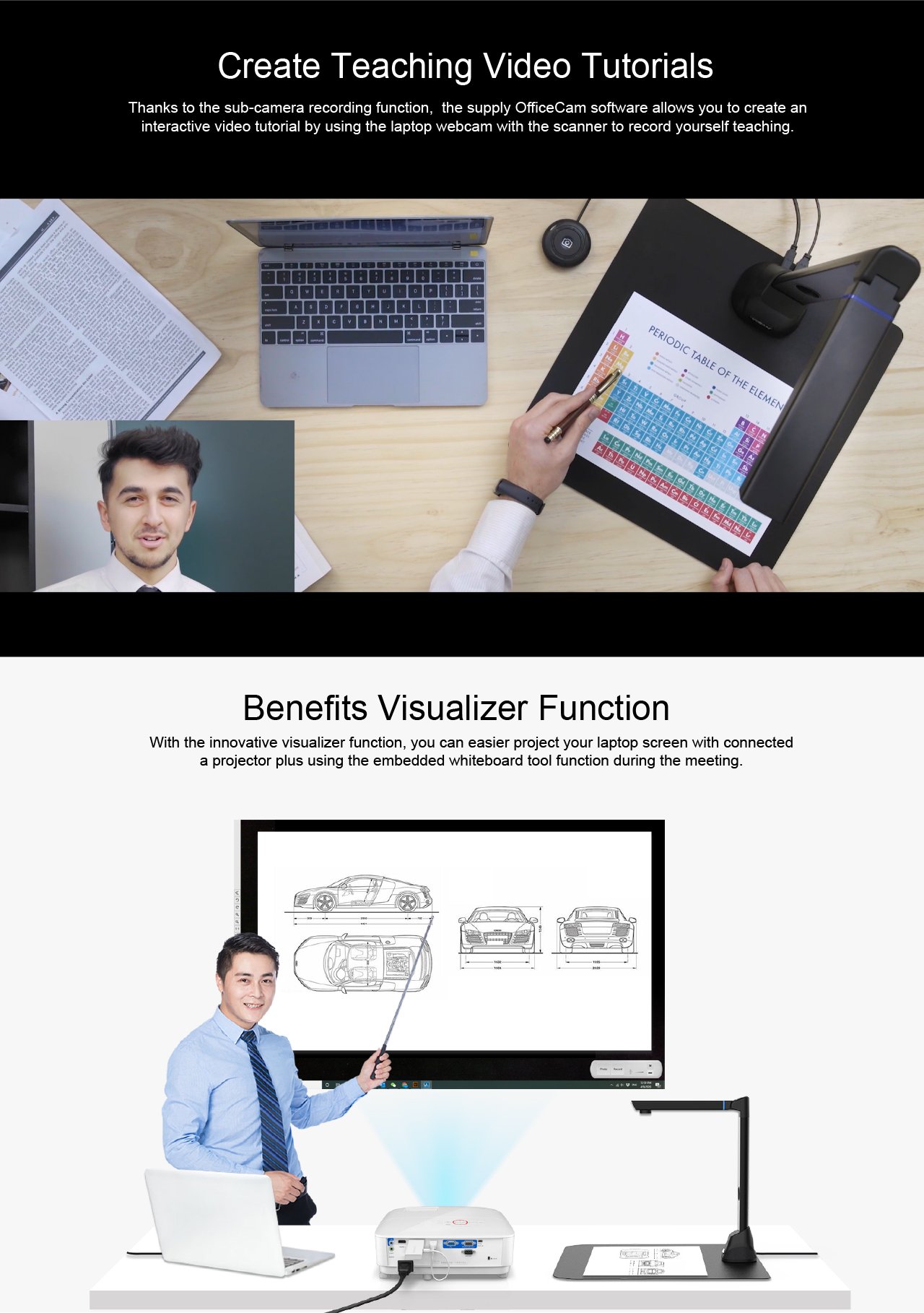
OfficeCam supports OCR-based document conversion, allowing users to create searchable PDFs and editable Word, Excel, or TXT files from scanned books, documents, forms, and teaching materials. It also supports barcode recognition for workflows that require fast data capture and document indexing.
Create digital documents that can be searched, archived, and shared more efficiently.
Convert scanned content into Word, Excel, or TXT formats for editing and reuse.
Capture barcode information for document management, inventory, and office workflows.
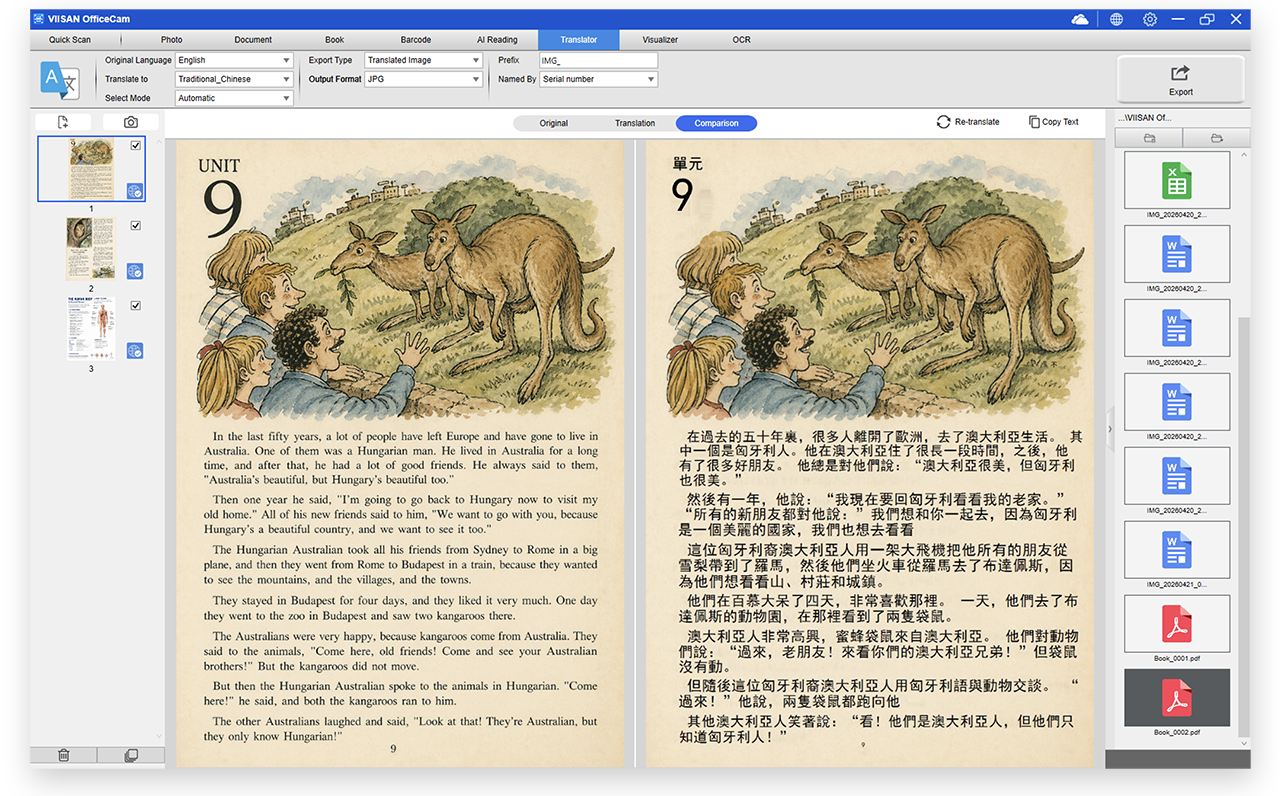
Translate full JPEG images or manually select specific areas for instant translation directly within MYSHER OfficeCam. From books and contracts to international documents, users can quickly understand content in another language without switching to extra tools.
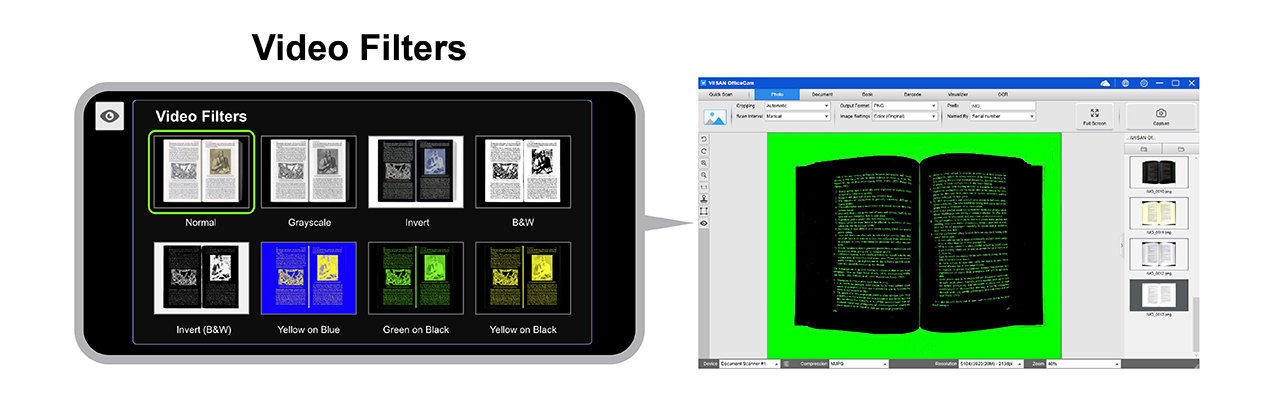
OfficeCam is designed with accessibility in mind. The latest version introduces advanced video filters in Photo mode to support users with low vision, helping improve contrast, visibility, and reading comfort.
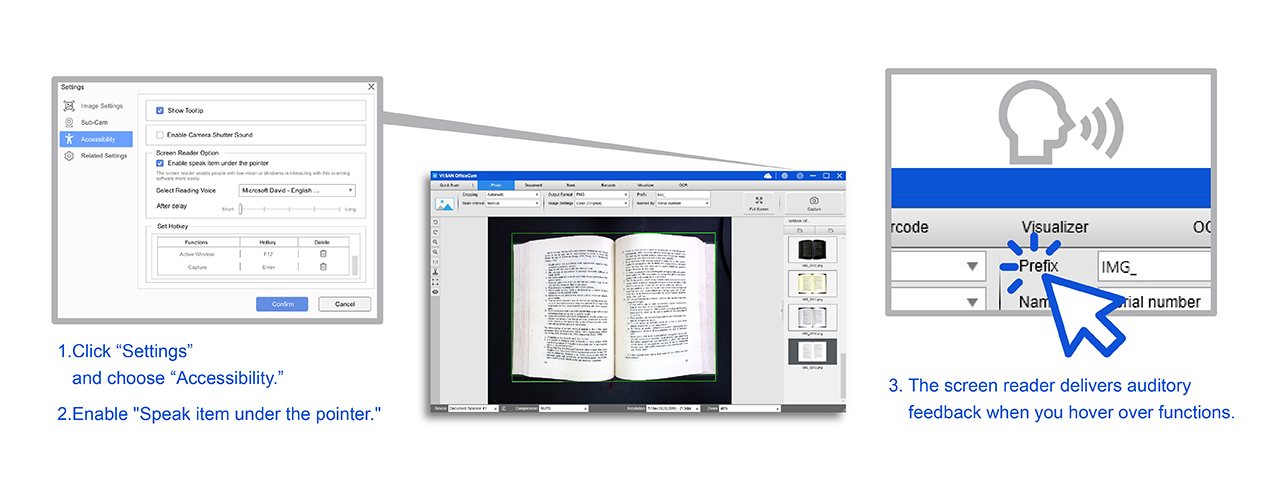
The integrated screen reader enables easier software interaction for users with low vision or blindness. By hovering over software functions, users receive real-time audio feedback, making document scanning and navigation more intuitive and accessible.
With OCR conversion, barcode recognition, AI translation, text-to-speech, low-vision filters, and screen reader support, MYSHER OfficeCam helps users digitize, understand, and interact with documents more efficiently.
